

Prerequisites:
- GitHub account- This account can be created for free using an email address on https://github.com/.
- A simple repository(repo).
Step 1. Create a repo in under 1 min.
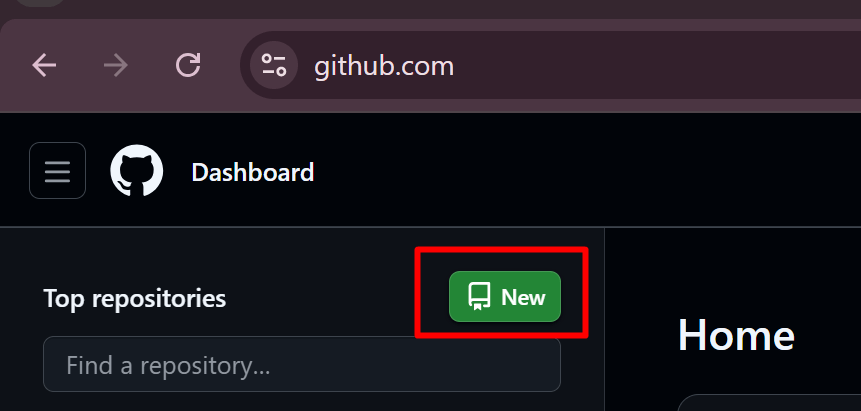
Navigate to the GitHub Dashboard. On the top left, click on ‘New’ button.
The repository creation page opens.
Provide the Repository name (my code space demo) and click on Create repository.

Step 2. Launch CodeSpaces
Click on the green code button Codespaces tab, Create Codespace on main
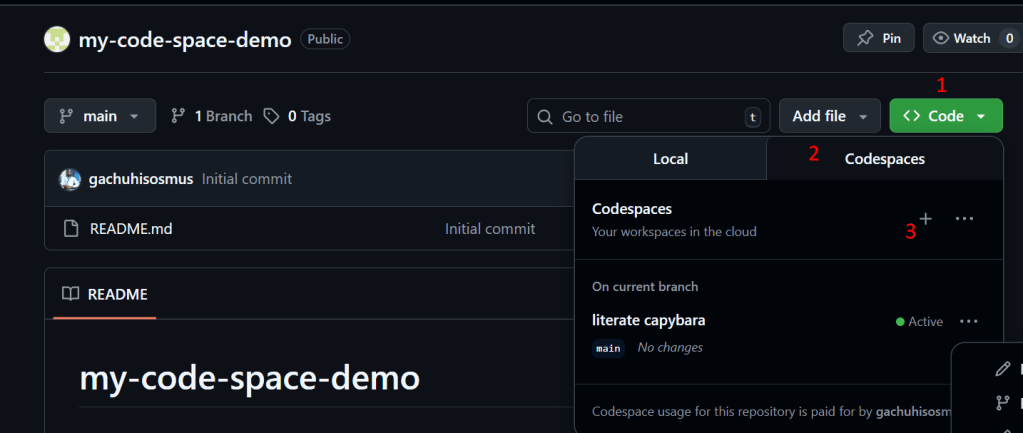
Choose Machine: “2 Core AMD” (free tire default)
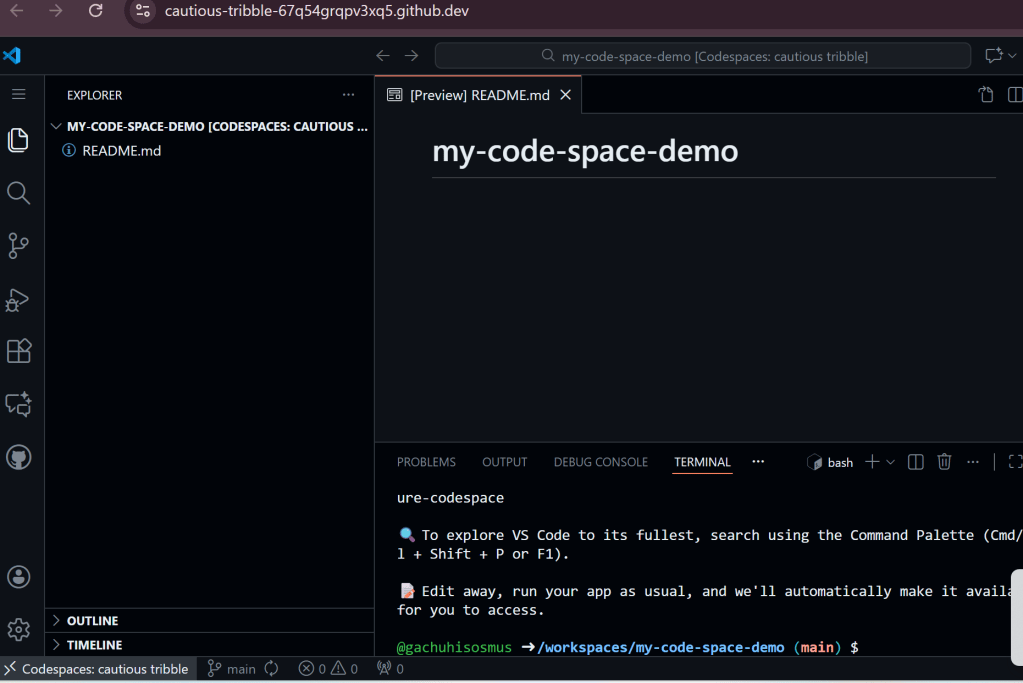
In 30-60 seconds, it opens full VS Code in browser. See below.
Step 3. Run a Simple App.
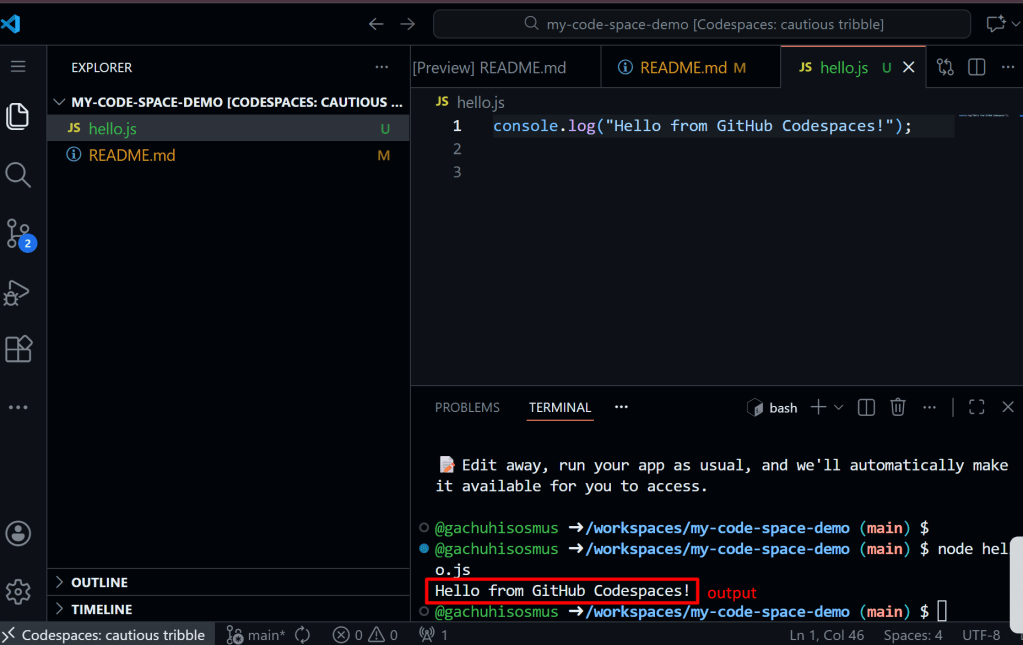
In the browser editor, create ‘hello.js’ file and run the
“`javascript
console.log(“Hello from GitHub Codespaces!”);
Conclusion:
Cloud Dev doesn’t have to be complicated or expensive. Go from zero to running a real code on real cloud machine without the need of a credit card. You can try it for free on https://github.com/codespaces






 Sure Media Magazine
Leave a comment